When seconds count, your family gets the message.
RscMe monitors your heart rate on Apple Watch and automatically texts your family — with your name, location, and heart rate — the moment something looks wrong.
No buttons to press. No apps to open. Wear your Apple Watch as you normally would — while sleeping, working out, or going about your day. If your heart rate crosses your personal limits, RscMe sends an SMS to up to 5 contacts you trust.

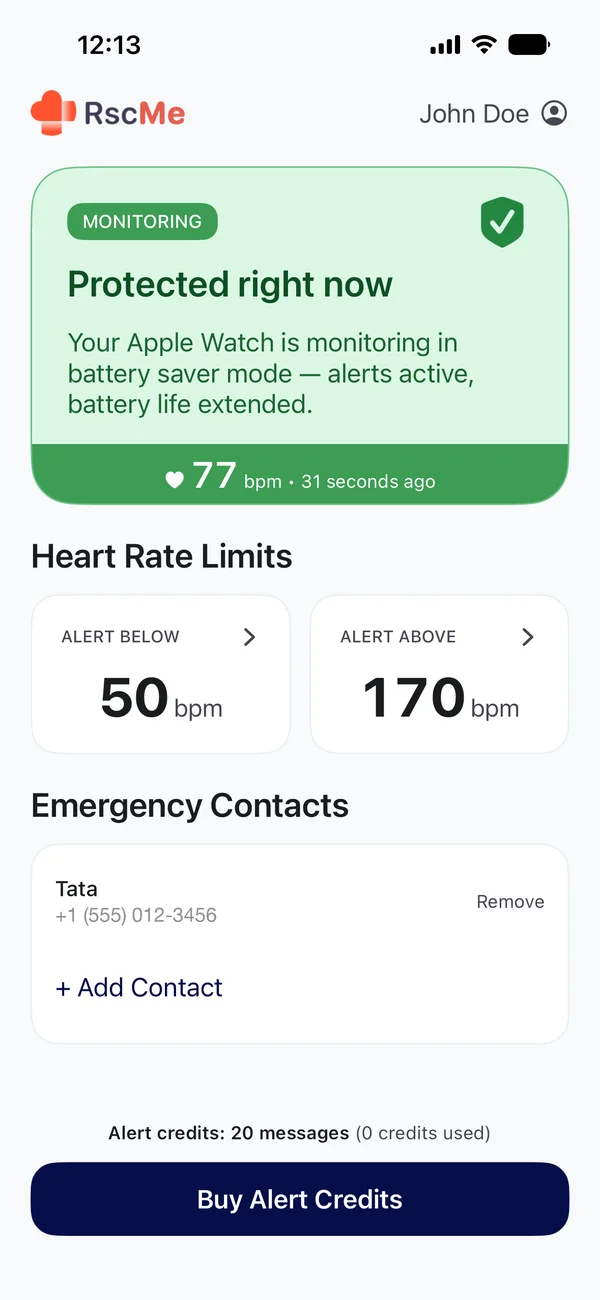
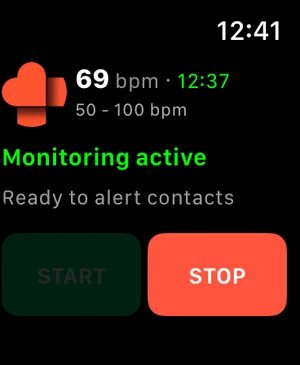
Apple Watch monitors you.
RscMe alerts your family.
Apple Watch's built-in alerts notify only you. RscMe automatically sends an SMS to up to 5 contacts you trust — with your name, current heart rate, and a GPS link. No Medical ID required. Apple Watch doesn't call 911 for heart-rate events — RscMe texts your family instead.
Apple Watch alone
- Heart-rate alerts go only to you
- Fall Detection may call emergency services — only if you don't respond
- Uses Apple's fixed heart-rate thresholds
- Emergency SOS requires you to press and hold a button
With RscMe
- SMS sent directly to your family — up to 5 contacts
- Alerts your chosen contacts, not emergency services
- Set your own thresholds based on your condition
- Fully automatic — works even if you can't react
Who is RscMe for?
For Your Parents
Set up RscMe on your parent's Apple Watch in 10 minutes. They wear it as usual — no new habits, no learning curve. If their heart rate becomes dangerous, you get a text immediately with their location. Even if they can't call for help. How to get alerted about a parent's heart rate
For Heart Conditions
Whether you have a diagnosed condition or simply want an extra layer of safety, RscMe monitors your thresholds and alerts the people who matter. After each alert, a 30-minute cooldown prevents repeat messages during the same episode.
For People Often Alone
Working out alone, hiking, or living solo doesn't mean facing emergencies alone. RscMe keeps your contacts informed even when you can't reach your phone.
How RscMe Works
Fully automatic after setup. No buttons, no apps to open.
1. Apple Watch Monitors
Wear your Apple Watch as you normally would — while sleeping, working out, or going about your day. When your heart rate crosses your personal limits, RscMe triggers an alert automatically. No tapping needed.
2. Your Family Gets a Text
Your emergency contacts receive an SMS immediately — on any phone, no app needed. The message includes your name, current heart rate, and a GPS link to your location.
Example of the actual message your contacts receive.
Alert Credits from $3.99 — available inside the app
Everything you need for heart rate protection
Automatic Emergency Alerts
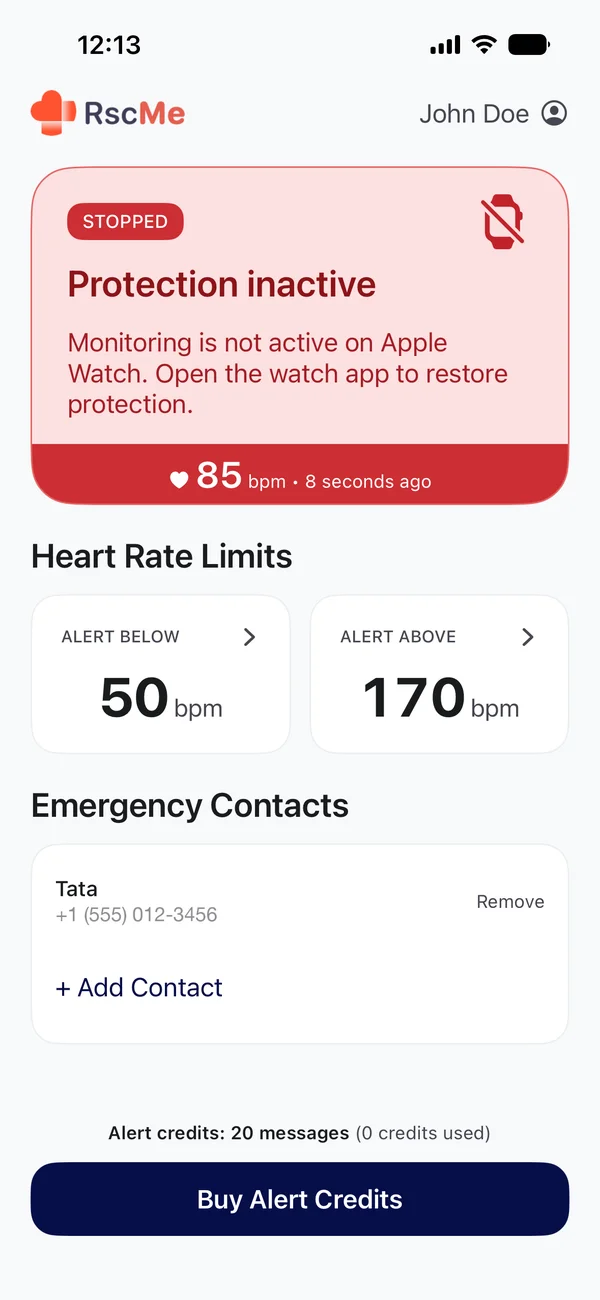
Set your personal heart rate limits — both dangerously high (tachycardia) and dangerously low (bradycardia). RscMe monitors continuously while your Apple Watch is on your wrist and triggers an alert automatically — no buttons, no app to open. Works in the background even while your screen is off.
SMS to Emergency Contacts
Real SMS messages with your name, heart rate, and GPS link. Not an app notification — a text message delivered to any phone. Your contacts don't need to install anything. Each alert uses one credit per contact ($3.99 for 20 credits).
Up to 5 Emergency Contacts
Add family members, friends, or caregivers. Each contact receives a separate text message when an alert fires. Manage your contact list anytime from the app.
Built to work when it matters most
When we launched RscMe, iPhone was responsible for detecting heart rate anomalies. iPhone background health data delivery has fundamental limits — and so did early versions of the app.
The new version is different. Apple Watch monitors your heart rate independently. When an anomaly is detected, it triggers your iPhone to send the SMS.
More than five years of learning. One rebuilt foundation.
Your Privacy is Our Priority
RscMe does not store your heart rate data or location on its servers. Your emergency contacts and settings stay on your device.
Simple pricing — no subscription
Pay only when an alert is sent. Credits never expire.
Free
Download & set up
- Install RscMe
- Configure heart rate thresholds
- Set up Apple Watch monitoring
- Emergency contacts & SMS alerts
Alert Credits
Full SMS protection
- Everything in Free
- Add up to 5 emergency contacts
- Automatic SMS with GPS location
- Credits never expire
Each alert uses 1 credit per contact. If you have 3 contacts and one alert fires, 3 credits are used. Credits are purchased inside the app after download.
What People Are Saying About RscMe
Excellent App
"I have blood pressure issues and a heart artery that is moderately fatty, so my blood pressure is really hard to keep up — even with medication. Sometimes in the morning or when I take a nap, my heartbeat drops below what I set the app for and my daughter, my first emergency contact, right away texts me asking if I'm alright. I got this app because I always thought that my heart is my weakest point and I wouldn't like someone to find me dead days or even weeks later. This app gives me and my family peace of mind."
Amazing App and great dev
"This app does what it's supposed to. It gets the job done when the time calls for it. Hopefully the dev keeps improving and keeps it up to date. Thank you for this amazing piece of technology."
Frequently Asked Questions
RscMe is free to download. SMS alerts require Alert Credits: $3.99 for 20 credits or $6.99 for 50 credits. Credits never expire. Each alert uses 1 credit per contact — if you have 3 contacts and one alert fires, 3 credits are used. Credits are purchased inside the app.
Apple Watch notifies only you when your heart rate is unusual. RscMe sends an SMS to your family — with your name, heart rate, and GPS location. No Medical ID required, no 911 call. You choose who gets notified, and your contacts don't need any app installed to receive the message.
Alerts are only sent if you have credits available. We recommend keeping a refill pack active so you're always covered. Credits never expire, so you can stock up with confidence without worrying about them going to waste.
In normal use, your iPhone handles SMS sending — it receives the alert from Apple Watch via Bluetooth and sends the text. For reliable protection, keep your iPhone nearby.
No. Apple Watch does not automatically call 911 if your heart stops — RscMe sends an SMS to your selected contacts instead. Read the full answer: Does Apple Watch call 911 if your heart stops?
Apple Watch doesn't specifically detect heart attacks, but can notify you of irregular heart rhythms. RscMe builds on this by sending automated SMS messages with your heart rate and GPS location to your emergency contacts when unusual heart rate levels are detected.
The new version of RscMe monitors heart rate directly on Apple Watch, so an Apple Watch is required. Your emergency contacts can receive the SMS alert on any phone — they don't need an iPhone or any app installed.
RscMe does not store your heart rate data or location on its servers. Alert credits are synced via your iCloud account. Your emergency contacts and settings stay on your device.
Yes. RscMe supports two monitoring modes on Apple Watch:
Normal monitoring — heart rate is checked approximately every 5 seconds. This provides the fastest detection and is recommended during physical activity or when you want maximum protection. Apple Watch battery typically lasts 6–12 hours.
Battery Saver mode — when Apple Watch Low Power Mode is enabled, heart rate is checked approximately once per minute. RscMe can then monitor continuously all day and night on a single charge. To enable it, go to and turn on Settings → Workout → Low Power Mode on your Apple Watch. Both modes trigger an SMS alert when your heart rate crosses your limits — Battery Saver mode simply checks less frequently.
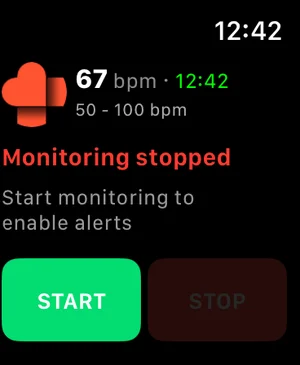
RscMe continues monitoring in the background, so you don't need to keep its screen visible. After starting monitoring, press the Digital Crown once to return to your normal watch face — monitoring keeps running. You can jump back into RscMe anytime from the app icon to check status.
To make this automatic (skip the watch face prompt entirely), open Settings on your Apple Watch and go to General → Return to Clock → RscMe. Choose Custom → Always and turn off Return to App under "When in Session." This only changes what your watch displays — RscMe monitoring keeps running either way. Just avoid pressing Stop, since that's what actually ends monitoring.
Protect what matters most
Download RscMe — it's free
Set up heart rate monitoring on your Apple Watch in minutes. Add your emergency contacts and activate SMS protection with Alert Credits. Available in 9 languages: English, Spanish, French, German, Russian, Chinese (Simplified), Chinese (Traditional), Arabic, and Czech.