Apple Watch for an Elderly Parent Living Alone: Setup Checklist
Your parent lives alone. An Apple Watch can call for help after a hard fall, share their location and warn them about their heart rate, but only if it's set up right and actually worn.
This checklist takes about 20 minutes with your parent's iPhone and watch in front of you. Do it together, so they know what each setting does.
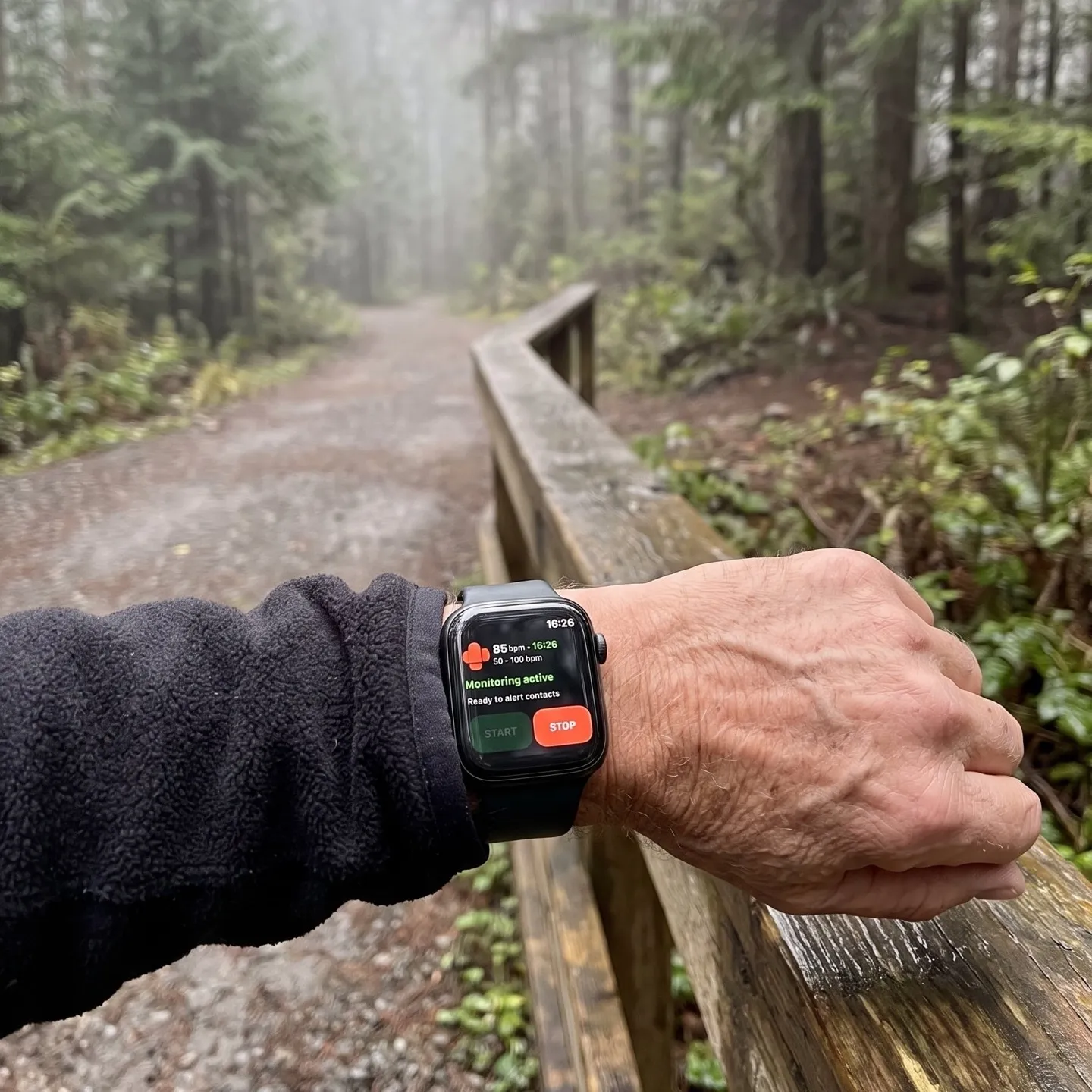
1. Make sure it's on their wrist, not on the charger
None of the features below work while the watch is on the nightstand. For someone living alone, this matters more than any setting.
- Pick a charging time that isn't night. Many people charge overnight, which leaves the night uncovered. Charging during breakfast or a shower lets them wear it while they sleep.
- Turn on Wrist Detection. On the watch: Settings → Passcode → Wrist Detection. Apple Watch only calls emergency services automatically after a fall when Wrist Detection is on.
- Fit it snugly. The back of the watch needs skin contact to measure heart rate.
2. Fill in Medical ID and emergency contacts
Apple Watch gets its emergency contacts from Medical ID, which lives in the Health app on your parent's iPhone.
- Open Health, tap their profile picture, then Medical ID → Edit.
- Add medical conditions, medications, allergies and blood type, whatever they're comfortable sharing.
- Under Emergency Contacts, add you and anyone nearby who could get there quickly, like a neighbor or a sibling.
- Check that their date of birth is correct. It matters for Fall Detection (next step).
- Turn on Share During Emergency Call, so emergency services receive their Medical ID when the watch calls.
First responders can open the Medical ID on the watch: hold the side button, then slide Medical ID.
3. Turn Fall Detection to “Always on”
On the iPhone: Watch app → My Watch → Emergency SOS → Fall Detection. Choose Always on, not Only on during workouts.
If your parent is 55 or older and their age is entered, Fall Detection turns on automatically. Check it anyway.
How it works: after a hard fall, the watch taps their wrist and shows an alert. If they're immobile for about a minute, it counts down and calls emergency services. When the call ends, it sends a message with their location to the emergency contacts from step 2.
Worth knowing: Apple notes that Apple Watch can't detect all falls. Fall Detection is for those 18 and older.
4. Practice Emergency SOS once
If your parent feels unwell but hasn't fallen, Fall Detection won't do anything. They have to ask for help themselves.
Press and hold the side button until the sliders appear, then drag Emergency Call. Keep holding the button and the watch starts a countdown and calls on its own. After the call, the watch sends their location to emergency contacts and keeps updating it for a while.
Show them where the side button is and say it out loud: “Hold this button if you need help.” Don't run a live test, because it calls emergency services.
5. Decide whether the watch needs cellular
To call emergency services, the watch or a nearby iPhone needs a cellular connection or Wi-Fi calling. A cellular Apple Watch can call on its own in many places. A GPS-only watch relies on their iPhone being nearby.
If your parent leaves their phone in the kitchen and gardens or walks without it, cellular is worth the extra monthly fee from their carrier.
6. Turn on heart rate notifications
On the iPhone: Watch app → My Watch → Heart → High Heart Rate / Low Heart Rate. Pick a limit (ask their doctor what range makes sense). The watch notifies them when their heart rate stays above or below that limit after at least 10 minutes of inactivity.
These notifications appear on your parent's wrist. If you want them too, see three ways to get alerted about your parent's heart rate: Health Sharing, Fall Detection, or an SMS app.
7. Optional: an SMS to the family when heart rate crosses a limit
The steps above call for help after a fall or when your parent presses a button. If their heart rate goes dangerously high or low and they don't fall, the only one who hears about it is them.
RscMe closes that gap. It monitors heart rate on the watch, and when it crosses a limit you set, their iPhone texts up to 5 people with their name, heart rate and a GPS link. It's a standard SMS, so contacts don't need an app or an iPhone. Nothing for your parent to press.
No subscription: alert credits cost $3.99 for 20 or $6.99 for 50 and never expire. One credit per contact per alert.
What this setup can't do
Be honest with yourself about the gaps, because living alone makes them bigger:
- Nothing works off the wrist. No setting covers a watch on the charger.
- No measurement, no alert. If the watch stops getting heart rate readings, for example because it's loose or off, neither Apple Watch nor RscMe will alert anyone. RscMe only sends a text on a measured heart rate outside your limits.
- Not every fall is detected, and Fall Detection doesn't react to a medical problem without a fall.
- None of it is a medical device or replaces a check-in. A daily call or message is still the most reliable safety net.
The checklist
- Watch charged during the day, worn at night
- Wrist Detection on (watch: Settings → Passcode)
- Medical ID filled in, correct date of birth, emergency contacts added
- Share During Emergency Call on
- Fall Detection: Always on
- Emergency SOS explained: hold the side button
- Cellular watch if they go out without their phone
- High and low heart rate notifications on
- Optional: RscMe with contacts and limits set
- A daily check-in that doesn't depend on technology
Frequently asked questions
Is Apple Watch good for seniors living alone?
It can call emergency services after a hard fall, share location in an emergency and warn about an abnormal heart rate. It only helps while it's worn and set up correctly, so Fall Detection "Always on", Medical ID and emergency contacts come first.
Does Apple Watch call someone if an elderly person falls?
If Fall Detection is on and the person is immobile for about a minute after a hard fall, Apple Watch calls emergency services, then messages their emergency contacts with their location.
Does an elderly parent need an iPhone for Apple Watch?
Usually yes. Family Setup lets you set up a cellular Apple Watch for a family member without their own iPhone, but RscMe needs an iPhone paired with the watch.
Will anyone be alerted if the watch isn't worn or stops measuring?
No. Apple Watch's automatic fall call needs Wrist Detection and the watch on the wrist, and RscMe only sends a text when it measures a heart rate outside your limits.
Is Apple Watch a medical alert system?
No. It has emergency features, but it's not a monitored medical alert service. In an emergency, call your local emergency number.

